📚 How to Download a Website from the Web Archive
The Internet Archive’s Wayback Machine is an incredible resource that preserves billions of web pages across decades. It captures sites that were deleted, redesigned, or hacked — and allows anyone to view their history.
Restoring a website from the Web Archive can be useful for several reasons:
- Recovering a lost or compromised website.
- Researching how online content has evolved over time.
- Preserving valuable pages, interfaces, or documentation before they vanish.
Whether you’re performing digital archaeology or recovering your own site, having the right tool to download archived content makes all the difference.
Free and Open-Source Tools
1. NodeJS: Wayback Machine Downloader by birbwatcher
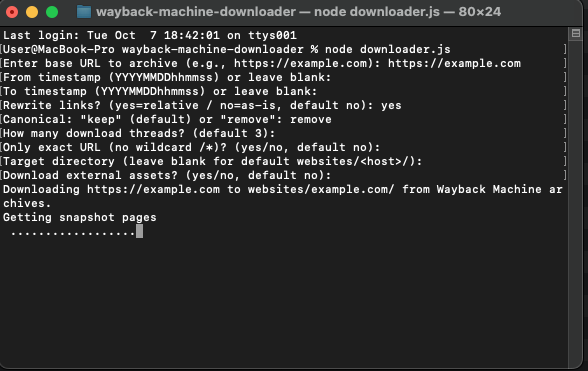
GitHub: https://github.com/birbwatcher/wayback-machine-downloader
This modern project reimagines the idea of downloading websites from the Wayback Machine using NodeJS. Because NodeJS comes preinstalled on macOS and is easy to set up on other platforms, this tool is extremely convenient and quick to start with.
- Relative link rewriting — all internal links are automatically converted to relative paths, so the downloaded site opens perfectly offline.
- Clean file structure — the recovered files are neatly organized, making further editing simple.
- Cross-platform — works seamlessly on macOS, Linux, and Windows.
- Modern JavaScript base — easy to extend or integrate into your own automation workflows.
Thanks to its thoughtful design, the NodeJS version produces an immediately usable website with minimal post-processing — ideal for both recovery and archival research.
2. Ruby: hartator / wayback-machine-downloader
GitHub: https://github.com/hartator/wayback-machine-downloader
This classic Ruby-based downloader has long been the standard tool for retrieving content from the Wayback Machine. It’s powerful, stable, and still widely used by developers. It can:
- Fetch a complete site or specific sections.
- Filter snapshots by year or URL.
- Automatically handle assets like images and CSS.
However, it requires Ruby, which may not be preinstalled on your system — particularly on Windows and modern Linux distributions.
Paid Tools
Paid services offer a more automated, user-friendly way to restore websites, often bundling hosting and management features.
1. Archivarix
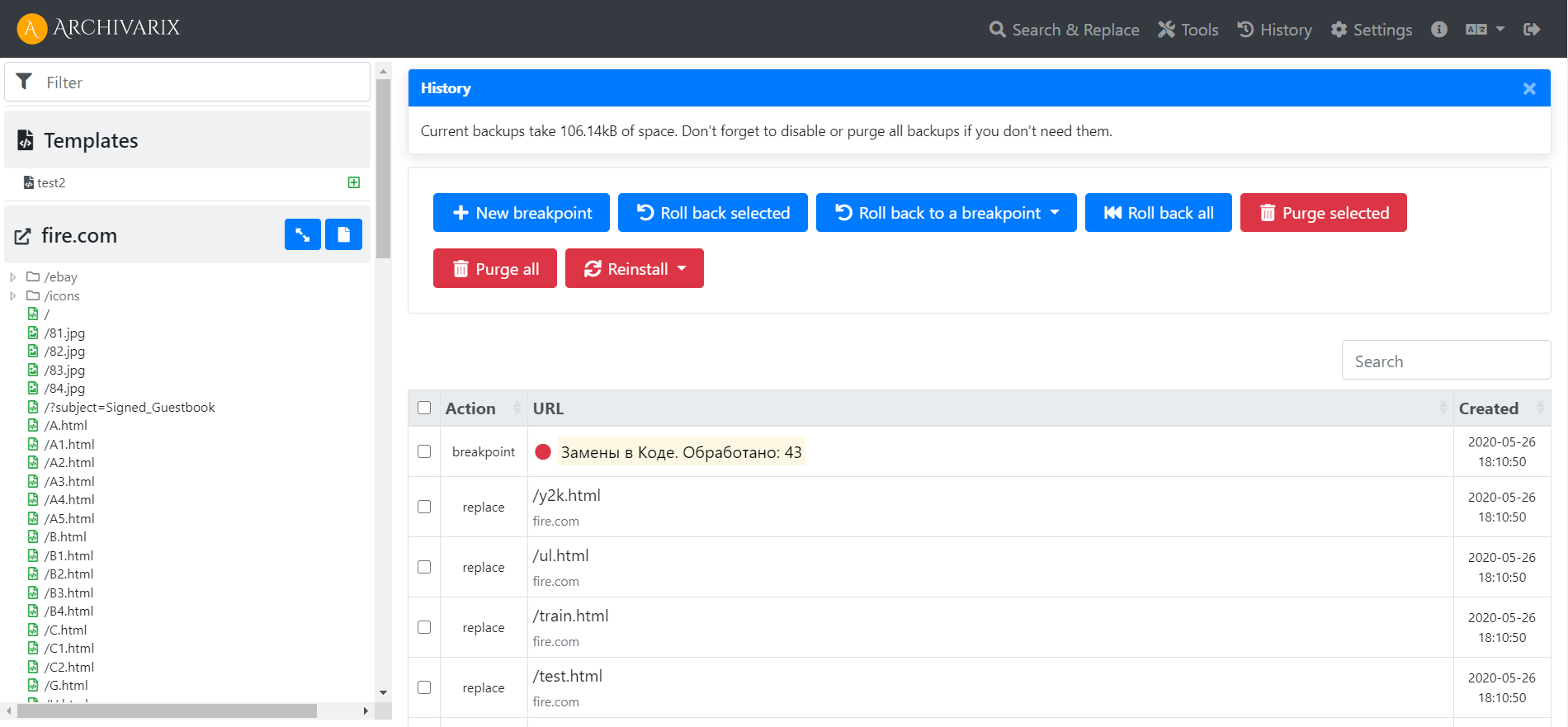
Archivarix:
https://archivarix.comArchivarix is a polished commercial service for rebuilding websites from the Wayback Machine. It includes:
- A browser-based preview and builder.
- A mini CMS for editing and redeploying restored sites.
- Automatic link correction and resource optimization.
If you prefer a complete 'download and host' package with no command line, Archivarix is a convenient, professional solution.
2. WaybackMachineDownloader.com

Website:
https://waybackmachinedownloader.comIt allows you to enter a domain, select a snapshot date, and receive a ready-to-use ZIP archive with all files. It’s simple, effective, and designed for users who don’t want to deal with setup or scripting.
How to Restore Website as WordPress
The Wayback Machine stores only static versions of websites — HTML pages, images, and some media files. It does not preserve dynamic content, databases, or server-side logic such as PHP or MySQL used in WordPress.
Restoring a WordPress website from the Web Archive is therefore a manual and time-consuming process. You can recover text and images from archived pages, but you’ll need to rebuild the structure, posts, and menus by hand.
Automation tools can help you extract static content, but they cannot recreate plugins, comments, users, or the database-driven relationships that define WordPress sites. In practice, this means importing the recovered content into a fresh WordPress installation and reformatting it manually.
While this process requires patience, it’s often the only way to bring an old dynamic site back to life in a modern CMS environment.
Which One Should You Choose?
If you need a quick and powerful free solution, the NodeJS version by birbwatcher stands out. It’s modern, cross-platform, and automatically prepares your download for offline use.
Restoring a website from the Web Archive can help you recover lost projects, analyze digital history, or preserve valuable content. Among the current tools, the NodeJS-based Wayback Machine Downloader by birbwatcher provides the best balance between ease of use and technical flexibility. It’s fast, modern, and gives you a working offline copy of your website with a single command.